Loading post
Where Engineering Thinking Pays Off in Everyday Life — Caching, Idempotency, and Batch Jobs at Home
Jul 25, 2026
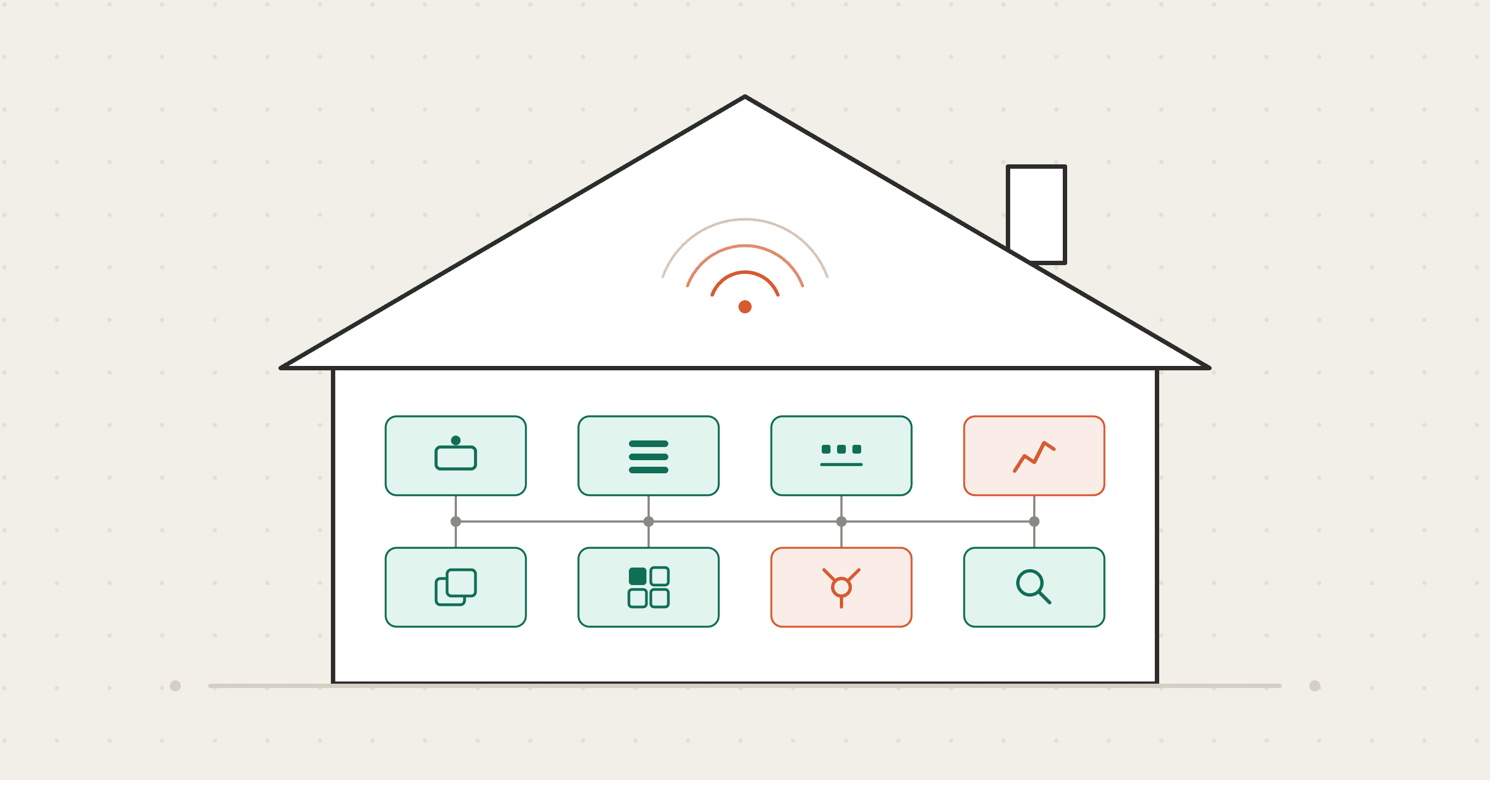
"Caching." "Idempotency." "Batch processing." Engineering jargon looks intimidating on paper. But crack the words open and most of them turn out to be old, ordinary tricks against humanity's three great enemies — forgetting, friction, and chaos — that someone eventually gave a name to.
I'm a payments engineer, which means my day job is mostly "make sure the system can never get it wrong." The funny part is how you achieve that: by trusting nothing. Machines crash, networks drop, humans forget — every engineering tool is built on that assumption. And everyday life is the same parade of forgetting, tiring, and things drifting into chaos. Tools designed for fragile things work on us, because we're fragile in exactly the same ways. Better yet, in life you only use the idea — zero lines of code required.
In this post I'll walk through eight engineering ideas, each as a set of tiny definition → everyday application → mini diagram. If you're an engineer, read it as a series of "oh, I do that"; if you're not, read it as a toolbox. At the end, I'll also be honest about where this way of thinking does not work — which might be the most important section of all.
1. Caching: keep frequently used things where you don't have to go fetch them
Definition: A cache is a mechanism where the real data lives far away, but you keep a copy of the frequently used bits close at hand. Fetching data is slow, so computers keep hot items nearby. If it's there when you reach for it, that's a "hit." If it's not and you have to go all the way to the source, that's a "miss."
Everyday application: the tray by the front door. Keys, wallet, earbuds, badge — everything you always need on the way out gets one fixed spot at the entrance. That's a cache, plain and simple. On days the spot works, you're out the door in three seconds (cache hit). On days you didn't put things back, you're searching the whole house (cache miss).
Want to leave
   │
   ├─ Is it in the tray? ── yes ──→ out the door in 3 seconds 🎉 (hit)
   │
   └─ no (miss)
        ↓
      couch cushions → yesterday's pants → bathroom counter → …
      (search cost: minutes to tens of minutes + slow mood erosion)
The point is that a cache converts "searching" into "placing." Searching costs you every single time; placing costs you once, when you get home — and home-arriving-you is already holding the keys, so it's basically free.
Incidentally, computer caches don't come in one layer — they're stacked, fastest first. Home storage cleans up beautifully when you think in the same hierarchy.
L1: pockets / bag's fixed pocket  (instant: keys, phone)
L2: tray by the door              (3 seconds: wallet, badge, earbuds)
L3: a designated drawer           (30 seconds: nail clippers, batteries,
                                   band-aids)
Cold storage: closet / garage     (minutes: seasonal stuff, suitcases)
The rule is one line: the more often you use it, the faster the layer it lives in. When you're tidying and can't decide where something goes, ask "when did I last use this, and when will I next?" — the address assigns itself. A home where the nail clippers are perpetually missing is usually a home where the nail clippers were never issued an L3 address.
There's a famous engineering joke that one of the two hard problems in computer science is cache invalidation — the cache drifting out of sync with reality. The home version has the same failure mode: a fixed-spot rule collapses the moment one person in the household stops following it. If you live with family, keep the rule simple — one tray per person, only a few designated items. Clever rules always rot.
2. Batch processing: doing things together makes each one cheaper
Definition: Batch processing means you don't handle each piece of work the moment it arrives — you let it accumulate and process it all in one go. The "setup and cleanup" cost that every single task carries gets paid once instead of every time, so the more items you batch, the more you save.
Everyday application: grocery runs and meal prep are the classic examples. Shopping before every dinner means paying the "travel, browse, queue, return" setup cost daily. One weekly run pays it once. Cooking is the same: chopping three onions instead of one costs almost nothing extra — the cutting board and the knife had to come out and get washed either way.
One-at-a-time:
  [shop→cook→clean] [shop→cook→clean] [shop→cook→clean] …
   ↑ pays setup & cleanup every single time

Batched:
  [shop ×7 days] … [cook 3 meals→clean once] … [reheat] [reheat]
   ↑ setup & cleanup paid a few times a week
There's a second cost here that's easy to miss: context switching. Every time you answer one email in the middle of something, your brain has to evict "the thing I was doing" and load "email mode," then reload the original later. That swap is expensive. Which is why small chores — replies, expense reports, forms, gathering the trash — are usually faster and less tiring when you collect them and burn through them at a scheduled time rather than doing each one the moment it appears.
One warning: batching has a chronic illness — let the pile grow too big and the batch becomes so heavy you can't start it (picture a sink after three days of "I'll do the dishes later"). Give your batches a size limit. "Run the dishes when the sink is half full" is plenty precise.
3. Idempotency: design things so running them twice is harmless
Definition: Idempotency is the property that doing the same operation once or twice (or five times) leaves you with the same result. In payments this is a lifeline: systems are built so that a payment button pressed twice never charges you twice. When the network hiccups and you're left wondering "did my request get through?", an idempotent system lets you just safely send it again instead of agonizing.
Everyday application: the "wait — did I lock the door?" problem. Brutal when it strikes two blocks from home. The engineering answer here is not "train your memory." It's design the operation so redoing it is harmless, or so that having done it is visible afterwards.
- Make locking up a small physical ritual — point at the lock, jiggle the handle. The checking motion is harmless no matter how many times you run it (idempotent), so if anxiety strikes, you can just run it again.
- A pill organizer with weekday slots — "did I take my meds?" gets answered by the state of the box, not by memory. Taking the pill becomes "empty the Monday slot," an operation that does nothing the second time.
- A packing checklist — walking the list twice adds zero extra socks to your suitcase. Not sure whether you already checked? Check again, cheerfully.
Non-idempotent:  "take the pill" ×2      → double dose 😱
Idempotent:      "empty Monday's slot" ×2 → second run does nothing 😌
                  (the trick: the fact that it ran is stored as visible *state*)
The common move is converting memory (volatile, untrustworthy) into state (visible, safe to re-check). Human memory is like the kind of computer memory that vanishes when the power blips — you should never store anything important in it. That's not an insult to your brain; it's just the spec sheet.
Advanced technique: photograph the stove and the locked door on your way out. Taking the photo is harmless no matter how many times you do it (idempotent), and when the anxiety hits on the train, you just look at the photo. It's the same instinct as a payment system writing a log entry for every operation: keep evidence that it ran, and re-checking later takes one second.
4. Single point of failure: find the one thing that takes everything down with it
Definition: A single point of failure (SPOF) is the one component whose failure stops the whole system. Engineers stare at architecture diagrams asking the morbid question "what happens if this dies?" over and over, then add backups and alternate routes.
Everyday application: ordinary life is riddled with SPOFs.
SPOF candidates in your life:
  🔑 One house key            → lose it, you're locked out
  🧠 Family schedule in one    → when that person is swamped,
     person's head               the household stalls
  🚃 One commute route        → delays have you searching for
                                 alternatives mid-crisis
  📱 Everything on one phone  → losing it = wallet + keys + maps
                                 + contact channel, all at once
  💳 One payment card         → a demagnetized stripe stands
                                 between you and dinner
The fixes are the same as in engineering: redundancy (keep a spare) and sharing (eliminate information that only one person holds). A spare key somewhere trustworthy. Every family commitment on a shared calendar — which also happens to end the "I told you" / "you never told me" wars. Try an alternate commute once on a calm day, because hunting for a detour during the outage is the worst possible time to learn it, in engineering and in life alike.
Documents hide SPOFs too. A passport or insurance card whose only copy is the single physical original — that is a SPOF. At minimum, make the information redundant: a photo of the ID page in cloud storage means that at the reissue counter you'll actually know the numbers, which changes the speed of the whole process. It doesn't replace the original, but it dramatically shortens the recovery time.
You don't need to make everything redundant. Even in engineering, redundancy costs money, so you triage by "damage if it breaks × odds of breaking." Keys, phone, critical documents — start there and you've covered most of it.
5. Backups and version control: an Undo button for life
Definition: A backup means keeping a copy of anything you can't afford to lose, somewhere else. Version control means never overwriting — keeping the history of changes instead. Between the two, an engineer can wreck anything and still be back to yesterday's state by lunch. In short: an Undo button.
Everyday application: photos are the clearest case. A shocking number of people live one dropped-in-the-toilet phone away from losing ten years of pictures. Engineers have a well-known rule of thumb called 3-2-1 (three copies, two kinds of media, one off-site), but the life version can be much lazier: graduate from "it only exists on my phone." Turn on automatic cloud sync once, and from then on the right things happen while you do nothing. A good backup isn't something you diligently take — it's something that is being taken without you.
One more painful engineering proverb: a backup you've never restored from is not a backup. Once a year is enough — try actually pulling one photo back out of the cloud. "I forgot the password," "sync silently stopped months ago" — these are astonishingly common discoveries, and making them on the day of the disaster is like skipping every fire drill and improvising during the fire.
Version control shines in paperwork. When revising an important document, don't overwrite it — copy it and date it.
things/
  ├─ resume_2026-05-01.pdf   ← older version still exists
  ├─ resume_2026-07-10.pdf
  └─ resume_2026-07-20.pdf   ← latest. Botch it and you can roll back
The filename spiral of "final_v2_REAL_final.pdf" is a worldwide phenomenon, and it's proof that the demand for version control genuinely exists. Standardize on dates in filenames and the "which one is current?" debate ends forever. This is the humblest possible form of Git, the tool engineers use all day. And the real payoff of backups and version control isn't the recovery itself — it's psychological. When you know you can go back, you rewrite boldly. Remove the fear of losing things and people get braver.
6. Queues and rate limiting: make your notifications wait in line
Definition: A queue is a waiting line. Work doesn't get handled the instant it arrives — it lines up, and you pull items off at your own pace. Rate limiting caps how much you accept per unit of time. Together they let a system face a flood of incoming demands without surrendering its own rhythm.
Everyday application: notifications. A modern phone is a service desk where the entire world files "respond immediately" tickets around the clock. Answering each one on arrival is interrupt-driven processing, and it pays the context-switch tax from section 2 on every single ping — indefinitely.
The engineering answer is to turn interrupts into a queue.
Interrupt mode (the default settings):
  work ✂ ping! ✂ work ✂ ping! ✂ work ✂ ping!
      every break in focus costs extra time to climb back in

Queue mode:
  work ─────────────────────────┐
  pings → [📥📥📥 wait in line]  │
                                ↓
          processed in one sweep at set times (10:00, 13:00, 17:00…)
Concretely: sort notifications into "may make noise" and "fine if I see it whenever I open the app," and silence the entire second category. Batch message replies into a few reply sessions per day, except true emergencies. This isn't slacking on replies — it's taking back the scheduling authority over your own attention. In my experience, batched replies tend to come out more thoughtful per message, not less.
The same idea extends to errands. Instead of handling "go to the bank," "return the package," "stop by the pharmacy" one at a time as each one comes up, push them onto an "outing queue" and drain it in a single connected route on a day you're already out. The per-errand travel cost collapses into one trip. You may have noticed: that's the queue from this section combined with the batching from section 2. The tools compose.
Real queues have priority lanes, by the way — urgent jobs get to cut in line. The life version is the same: let family and work ring through, and the system stays humane.
7. The debugging mindset: reproduce it before you fix it
Definition: Debugging is finding and fixing the cause of a malfunction. And the more experienced the engineer, the less they rush to fix anything. They first spend time getting the problem to happen on demand — because a problem you can't reproduce is a problem you can't confirm you've fixed. The other iron rule: change one thing at a time. Change three things and get a fix, and you'll never know which one worked.
Everyday application: everything in the category of "something's been off lately" — body or household. Say your sleep has been shallow. The common move is to change the pillow, quit caffeine, start exercising, and add a supplement — all in the same week. If things improve, you have no idea what worked, so you can't stop any of it, and now you're doing all four forever.
Debugging procedure (life edition):
  1. Log it        … when does it happen, under what conditions?
                     (a few days of notes is enough)
  2. Hypothesize   … "the 5pm coffee looks suspicious"
  3. Change ONE thing … drop only the coffee, for 1–2 weeks.
                        Touch nothing else
  4. Observe       … better? → prime suspect / no change? → next hypothesis
One bonus tool. Engineers have a famous practice called rubber-duck debugging: explain your problem, out loud, from the beginning, to a rubber duck on your desk — and somewhere mid-explanation you spot the cause yourself. It sounds ridiculous, and it genuinely works, because the act of shaping a problem into something explainable untangles it. Ever started typing a question to a friend and seen the answer before you hit send? That's the duck. The listener doesn't have to be human.
Flaky appliances and Wi-Fi respond to the same treatment. Faster near the router? Does it happen on a wired connection? Only at certain hours? Flip one condition at a time and corner the problem. This is exactly the "isolation" engineers do during incidents. Learn the halving trick (binary search — rule out half the suspects at each step) and something nice happens: the vague dread of "the cause is out there somewhere" becomes the concrete status of "two suspects left." That conversion of anxiety into specificity is, I think, the debugging mindset's greatest gift.
8. Monitoring and alerting: let the system watch, so willpower doesn't have to
Definition: Monitoring means continuously measuring and recording a system's state. Alerting means that when a number crosses into dangerous territory, the system tells you — you don't have to go look. Engineers never leave production systems to "someone will surely notice," because human attention always lapses.
Everyday application: money and health are the two big domains.
- Balance alerts and transaction notifications: get pinged when your account dips below a threshold, get pinged on every card charge. The willpower to review a budget every day runs out; an alert works in its sleep. That charge you don't recognize? These pings are usually how people catch it.
- Subscription renewal notices: "forgot I signed up and kept paying" is the textbook incident of an unmonitored system.
- Dashboards: step on the scale and let the app do the rest; let the budget app auto-categorize. What matters is not heroically checking every day — it's that the numbers keep getting recorded, so the graph exists whenever you want it. Trends are visible only as lines, never as points.
Willpower mode:  "I will review the budget every day!"  → dead by day 3
Alert mode:      balance < $500 → notification fires
                 → think about nothing normally; get summoned only on anomaly
Engineering has a proverb about alert design: an alert that fires too often is the same as one that never fires — flood people with pings and they learn to ignore all of them. Same at home: reserve alerts for things that genuinely require action. This tool pairs naturally with the rate limiting from section 6.
And annual checkups are the monitoring philosophy in its purest form. "Go to the doctor once it hurts" is the same operational strategy as "investigate the system after it's already down" — engineers know it's the most expensive one there is. A yearly measurement exists to catch anomalies as a drifting number, well before the final alert called pain goes off.
The whole toolbox on one page
Problem                     Engineering tool           Home version
──────────────────────────────────────────────────────────────────────
Always searching for stuff  Caching                    Launch-pad tray by the door
Small chores exhaust you    Batch processing           Weekly shop, reply sessions
"Did I…?" anxiety           Idempotency                Pill organizer, checklists
One loss ruins everything   Removing SPOFs             Spare key, shared calendar
Can't afford to lose it     Backups / version control  Auto-sync, dated copies
Notifications run your day  Queue + rate limiting      Silenced pings, fixed times
Something's vaguely off     Debugging mindset          Log it, change one variable
Notice things too late      Monitoring / alerting      Balance alerts, auto dashboards
──────────────────────────────────────────────────────────────────────
Lined up like this, they share one spine: build on the assumption that human memory, attention, and willpower are unreliable. Engineers don't think this way out of misanthropy — quite the opposite. Hand the unreliable parts to a mechanism, and the human gets to spend their head on things only humans can do.
Where to start: the first week
You absolutely do not need to do all of this at once (that would itself be over-systematizing). If a friend asked me "pick just one," I'd say the tray by the door: the payoff arrives tomorrow morning, and the required investment is, physically, one tray. If you want to spread it over a week, here's an order that works:
Mon: put a launch-pad tray by the door           (caching)        5 min
Tue: sort notifications into loud / silent        (rate limiting) 15 min
Wed: turn on automatic cloud sync for photos      (backups)       10 min
Thu: set up a shared calendar with family/partner (SPOF removal)  15 min
Fri: set a low-balance alert in the banking app   (alerting)       5 min
Sat: try meal-prepping just two dishes            (batching)       1 hr
Sun: nothing                                      (also important)
The ordering is deliberate: everything early in the week is a "set it once and it keeps working on its own" kind of thing. Nothing that demands daily effort made the first-week cut. A system proves itself not on the day you install it, but at the point you've forgotten it exists. The good ones are still running then.
The honest part: where engineering thinking does NOT help
I've spent this whole post saying "systematize it," so let me argue the other side with equal energy. There are domains where this mindset doesn't work — and where importing it actively breaks things.
Relationships are not optimization targets. The moment you try to raise the "efficiency" of time with a friend, it stops being time with a friend and becomes something else. Conversation needs its pointless detours — in fact, the detours are pretty much what conversation is. Batching your message replies is a fine tool; but when you catch yourself processing seeing people as a task to clear, that's the tool overreaching.
Feelings can't be debugged. Approaching a sad person (yourself included) with root-cause isolation and a fix — that fails almost every time. Feelings aren't bugs; they're the spec. What's usually needed isn't a patch but time, and someone who'll listen.
Optimize play, and the play evaporates. Start route-optimizing your walks and they stop being walks — they're just transportation now. The world is full of stories about the hobby that died the day it got KPIs.
And one last failure mode: systematizing can itself become the hobby. You assign spots, print labels, build dashboards, add rules — until maintaining the system starts crowding out the life it was for. Even in engineering, "isn't this system costing more to maintain than it saves?" is a routine code-review comment. The whole point of a system is what you do with the time and headspace it frees up. If you find yourself spending the freed time building more systems, pause and go for a walk. Don't look up the route.
Takeaways
- Engineering concepts are named countermeasures against forgetting, friction, and chaos. No code required.
- Caching: give frequently used things a fixed spot. Convert "searching" into "placing."
- Batch processing: let small chores pile up, then sweep. Compress setup, cleanup, and context-switch costs — but cap the pile size.
- Idempotency: design so running it twice is harmless and "already done" is visible as state. Never trust memory.
- Single point of failure: back up whatever would take everything down with it. Spare key, shared calendar, a second way home.
- Backups: set up "being backed up without me" once. Knowing you can roll back makes you bolder.
- Queues and rate limiting: make notifications wait in line. Take back the scheduling authority over your attention.
- Debugging mindset: reproduce before you fix. Change one variable at a time.
- Monitoring/alerting: let mechanisms watch instead of willpower — but an alert that fires too often is one that doesn't exist.
- Know where none of this applies: people, feelings, and play are not for optimizing. And watch out for systematizing becoming its own hobby.
At its core, I think engineering thinking is less a sophisticated technique and more a kind of gentleness: it declines to blame human weakness and quietly builds around it instead. Every time I despair at my own memory, another tray, checklist, or alert appears in my life. I've decided that's fine.